
IPTV Smarters Alternatives for Android: Player Guide
An IPTV Smarters alternative should be judged on the things that affect you every day: whether the app is officially available for your device, whether it accepts the M3U playlist or Xtream Codes account your provider sent, how it feels with a TV remote, what it costs and who publishes it. Playback performance depends on the source, codec, hardware and network, so this guide does not claim that any player is universally faster.
Editorial disclosure: StreamHub is our product. IPTV Smarters features and pricing can change, and similarly named applications may have different publishers. Verify the developer identity and current details in the official store listing.
What is IPTV Smarters Pro?
IPTV Smarters Pro is one of the best-known IPTV players. The name covers a family of apps for several platforms, and providers often recommend it when they send out login details. Because the brand is so widespread, similarly named copies appear in app stores and on download sites. Before installing any “Smarters” app, check the developer name on the official listing and read its privacy terms.
Reasons to Compare Players
- Device support: confirm that the exact app supports your phone, tablet or television operating system. Android TV, Google TV and LG webOS each need their own version.
- Provider formats: match M3U playlist, Xtream Codes and EPG support to the details your provider supplies.
- Remote navigation: on a TV, check for a visible focus highlight, readable text and full control with the arrow keys and OK.
- Official distribution: avoid modified APKs whose publisher and code cannot be verified, especially when you will type in account credentials.
- Purchase model: free with ads, in-app upgrade, subscription or one-off license. Read the terms before paying.
StreamHub vs IPTV Smarters: Technical Breakdown
The table separates confirmed StreamHub details from third-party details that should be checked with the relevant publisher.
| Feature | IPTV Smarters | StreamHub |
|---|---|---|
| Publisher and store route | Verify the exact application listing | Google Play for Android; LG Content Store for LG TVs |
| Provider connections | Verify current format support | M3U and Xtream Codes on Android; Xtream Codes on LG |
| Android screens | Varies by publisher and version | Supported phones, tablets, Android TV and Google TV |
| LG webOS | Verify the exact application listing | Native app for webOS 23 to 26, 7-day free trial |
| Programme guide | Verify current EPG features | Now and next from the provider’s EPG; catch-up on Android where offered |
| Price | Verify current terms | Android free with optional Premium; LG €10 a year or €25 for life, up to 3 TVs |
| Samsung and iOS | Verify the exact application listing | No public StreamHub download |

Connection Privacy with Proton VPN
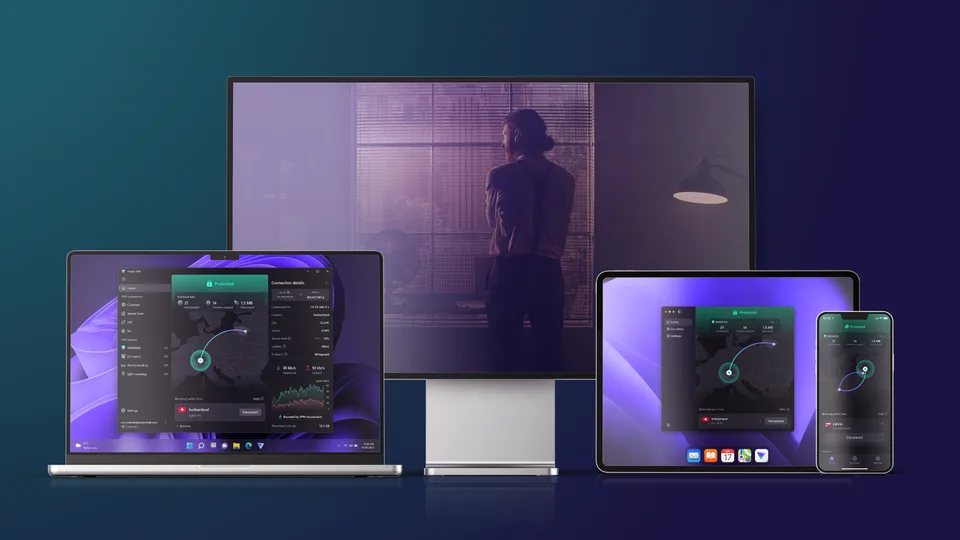
Proton VPN is a separate privacy service that can encrypt traffic on supported devices. Review its current features and privacy documentation on Proton's official site.
- Useful on shared or public networks
- Separate subscription from StreamHub
- May add latency depending on route and server load
- Does not grant content or viewing rights
Where StreamHub Differs
StreamHub may suit viewers who want documented M3U and Xtream Codes setup across Android screens, a remote-friendly television layout, and a native app for LG TVs.
1. Clear provider setup
On Android, add the M3U playlist or Xtream Codes account supplied by your provider; on LG TVs, sign in with Xtream Codes. Loading time still depends on playlist size, server response, network conditions and device resources.
2. A leanback layout for the sofa
On Android TV and Google TV, StreamHub uses large destinations, a visible focus highlight and D-pad navigation. Live TV, movies, series, catch-up, favourites and settings sit on one home screen. Fire OS has no dedicated public StreamHub release.
3. A native LG TV app
StreamHub passed LG App QA for webOS 23, 24, 25 and 26, so LG owners can install it straight from the LG Content Store without an extra streaming box. It starts with a 7-day free trial. See the IPTV player for LG TV page.
4. Separate platform purchases
Android Premium is managed through Google Play. The website TV license is for the LG app only: €10 for one year or €25 for life, one payment, up to 3 TVs. It does not unlock Android Premium.
Evaluate StreamHub for Android
Review current compatibility, features, privacy information and in-app purchases in the official listing.
View StreamHub on Google PlayHow to Migrate Your Playlist from Smarters to StreamHub
Your provider account stays the same; you only move the login details to a new player.
- Find your credentials: the server URL, username and password (Xtream Codes), or your M3U playlist URL. They are in your provider’s welcome email or customer area; Smarters does not need to export them.
- Install StreamHub: download it from Google Play on Android, or from the LG Content Store on an LG TV.
- Add a profile: on Android, choose Xtream Codes API or M3U URL. On LG, the sign-in screen asks for the Xtream Codes details.
- Sign in: enter the details exactly as supplied. StreamHub loads your live categories, movies and series.
- Mark your favourites: favourites stay in each app, so add your regular channels again.
Step-by-step screens are in the StreamHub setup guide for Android and the LG TV setup guide.
An IPTV Smarters Alternative for LG TV
Many LG owners search for a Smarters app for their TV. StreamHub is built for webOS 23 to 26: it signs in with Xtream Codes details, shows live TV, movies and series with programme information, and is controlled with the arrow keys and OK. If your provider only sent an M3U link, the LG setup guide shows how to read the Xtream Codes details from it.
Frequently asked questions
Is IPTV Smarters Pro free?
Terms vary by version and publisher, so check the listing for your device. StreamHub is free on Android with an optional Premium upgrade, and free for 7 days on LG TVs.
Can I use my Smarters login in StreamHub?
Yes. The login belongs to your provider, not to the player, so the same Xtream Codes details or M3U link work in StreamHub.
Which is better on Android TV?
Test both with your own provider. Look at how quickly you can reach your channels with the remote, how the guide looks, and what each app costs.
Verdict
The right IPTV Smarters alternative depends on your devices, provider format, interface preference, privacy requirements and purchase model. StreamHub is one option for Android phones, Android TV, Google TV and LG TVs with webOS 23 to 26; compare current official listings before switching.